Coming to the App Store
zinked
A reading app for iPhone and iPad. It turns any file into a book you can write on and listen to.
This page is a short book about it, and it does what the app does. It marks itself as you read, the way a reader marks a book. It reads itself aloud when you press Listen. And it will open a file of your own, to read here instead.
Pride and Prejudice
Chapter 1
It is a truth universally acknowledged, that a single man in possession of a good fortune, must be in want of a wife.
However little known the feelings or views of such a man may be on his first entering a neighbourhood, this truth is so well fixed in the minds of the surrounding families, that he is considered as the rightful property of some one or other of their daughters.
“My dear Mr. Bennet,” said his lady to him one day, “have you heard that Netherfield Park is let at last?”
Mr. Bennet replied that he had not.
Any file in
zinked turns anything with words in it into a book. Add an EPUB, a PDF, a Word document, a Markdown file, a web page or a photo of a page, and it comes back as clean pages that you can read, write on and search.
A PDF is the hardest, so it gets the most care. Headers, footers and page numbers are taken out. Paragraphs are joined again across lines and pages, and two columns are read down each column. Figures, charts and ruled tables are cut out of the page and stand in the text where they belong, each followed by its caption. A scan is read with text recognition on the device. The original pages stay one tap away, and you can write on those too.
This page was made the same way. Press the dot in the corner and choose Pages: the text is cut into pages around your place.
| It reads | And keeps |
|---|---|
| EPUB | Cover, contents, pictures, italics and bold. |
| The text, set again, and its pictures. Scans too. | |
| Word | Headings, lists, tables, links and pictures from .docx; the text of an old .doc. |
| OpenDocument, PowerPoint | Pictures. Slides become sections, with their speaker notes. |
| Markdown, HTML, web pages | A web page is reduced to the article, with its pictures. |
| RTF, plain text | Chapter headings are found, and hard-wrapped lines joined. |
| Jupyter notebooks, CSV, source code, images | A notebook’s plots. An image is read with text recognition. |
| Pages | Only when the document carries a PDF preview. |
| Kindle | Not supported. Convert to EPUB first. |
And out again: any book as Markdown, plain text, HTML or EPUB, and your notes as Markdown, JSON or CSV. The file you added is always kept.
Type and paper
The words are the author’s. How they look is up to you. Change the paper, the typeface, the size, the spacing or the margins, and the book is set again around the sentence you were reading.
On a wide screen the app opens into two pages side by side, like a book.
Read as pages, and a leaf turns like this.
Press the dot in the corner. Change the typeface, the size and the paper. Choose Pages there, and a wheel, an arrow key or a swipe turns the leaf.
Write on the page
With an Apple Pencil, you just write. With a finger, pick up the pen first. A rough line under some words snaps into a clean underline, a loop into a circle, a marker stroke into a highlight, and a scribble crosses the words out. A line down the margin straightens.
Marks are tied to the words, not to a spot on the screen, so they stay exact when the type changes size. Anything else you write stays as your handwriting, and moves with the words it was written beside.
Press Pen and draw a line under some words, or a loop around them. Or select some words and choose Highlight.
Every book keeps a notebook. Highlights, underlines, circles, typed notes and handwriting all go into it, in reading order, each with the passage it was made on. Handwriting is turned into text. The whole notebook can be copied out as Markdown.
Nothing yet. Mark some words on this page and they are written here.
There are notebooks of their own as well, on blank, lined, squared or dotted paper, for longer thinking.
Listen
Press Listen to hear it, from this sentence.
Anything in your library can be read aloud. Focus view shows only the sentence being said, large, a word at a time. Or the page keeps up instead: the sentence being said stays in full ink while the rest of the page eases back, and the word being said is marked as it passes.
The pages turn by themselves, and the speed is yours. A book has one place, not two. Where the voice stops is where reading carries on.
What an ear does not need is left out: citation marks, footnote numbers, web addresses. A table, a figure or an equation is announced in a few words and left on the page.
The voice is one of zinked’s, made by ElevenLabs. If the service cannot be reached, the iPhone’s own voice carries on from the same sentence.
Press Listen at the top. This page was recorded in one of those voices, and it opens in focus view. The button at the foot of the screen goes to the page and back. If the recording cannot be loaded, your browser’s own voice reads instead.
Papers by ear
A research paper is hard to follow by ear. So a paper gets a short orientation, heard first, and an easy listening edition, written by Claude. Equations are said in words, and tables and figures are described instead of skipped.
The entropy of X is minus the sum, over every outcome x, of the probability of x times its logarithm to base two.
| Source | Entropy, in bits |
|---|---|
| A fair coin | 1.000 |
| A coin that lands heads nine times in ten | 0.469 |
| A fair die | 2.585 |
Three sources and their entropy in bits. A fair coin, one. A coin that lands heads nine times in ten, 0.469. A fair die, 2.585.
Press Listen here. The equation and the table are said in words. Switch to As written and the voice only says they are there. As written was not recorded, so that is your browser’s own voice.
Papers and articles are prepared by themselves; a book of your own only when you ask. An agent of your own can write an edition too.
There is a whole paper to try this on, with its orientation and its easy listening edition, on the shelf further down.
A cover for everything
A file that arrives without a cover gets a typeset one. You can design your own: six layouts, a set of colours and typefaces, your own words, and a photo of yours if you like. It is saved as the book’s cover, so it travels with exports. The cover the file came with is kept, and can be put back.
Other readers
Give anything you read one to five stars. zinked works out which work a file is, from its ISBN, DOI or arXiv number, or its title and author. So your rating lines up with everyone else’s, though no two people have the same file.
| The file carries | The work is known by |
|---|---|
| An ISBN | isbn:… |
| A DOI | doi:… |
| An arXiv number | arxiv:… |
| None of these | fp:<title>|<author family name> |
Pick a username to see average ratings, short reviews, and how many people are reading the same thing. No email, no real name. Your own documents stay private.
Rate this book. The stars stay on this page.
Agents
Your library is a folder of ordinary files: Markdown chapters, with your highlights, notes, ratings and reading position in JSON beside them. Nothing is locked away.
Inked Library/
 Books/<book-id>/
  book.json         title, place, rating
  source.<ext>      the original file
  chapters/NNN-*.md the text, by chapter
  annotations.json  highlights and notes
  notes.md          the same, readable
  listening/        listening editions
 Notebooks/<id>/
  pages/NNN.txt     handwriting, as text
So an AI agent can read along with you. A command-line tool and an MCP server let it search the library, read a chapter, see where you are and leave notes, marked with a badge. It can write a paper’s listening editions as well.
inked highlight "zinked" \
  --quote "a folder of ordinary files" \
  --note "This is why I can read along with you." \
  --author agent:claude-code
No agent is reading this page, so the button does what the command says.
The app itself
These are the app’s own screens, from an iPhone Duo simulator. Its cover screen has a status rail down the right side.
 It opens on the markThe slab z, white on black, and the name.
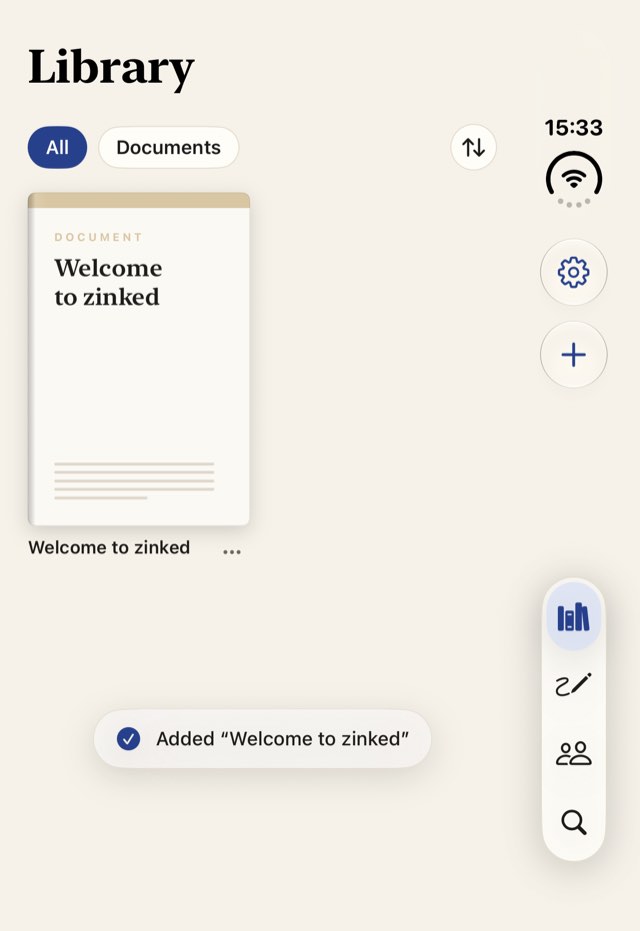 The libraryWhat you add is on the shelf, with a cover.
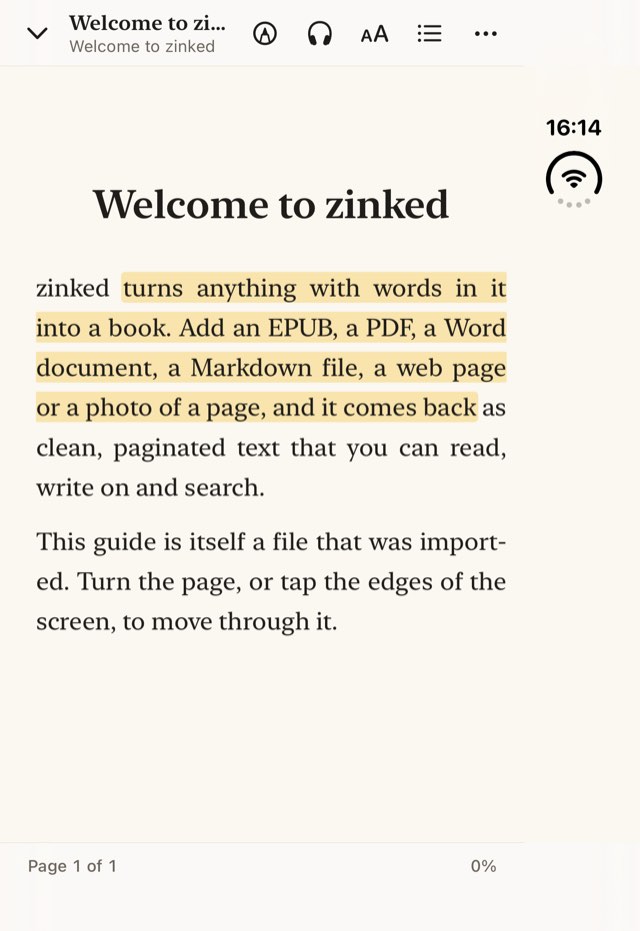 A finger highlightsA passage marked by a drag of a finger.
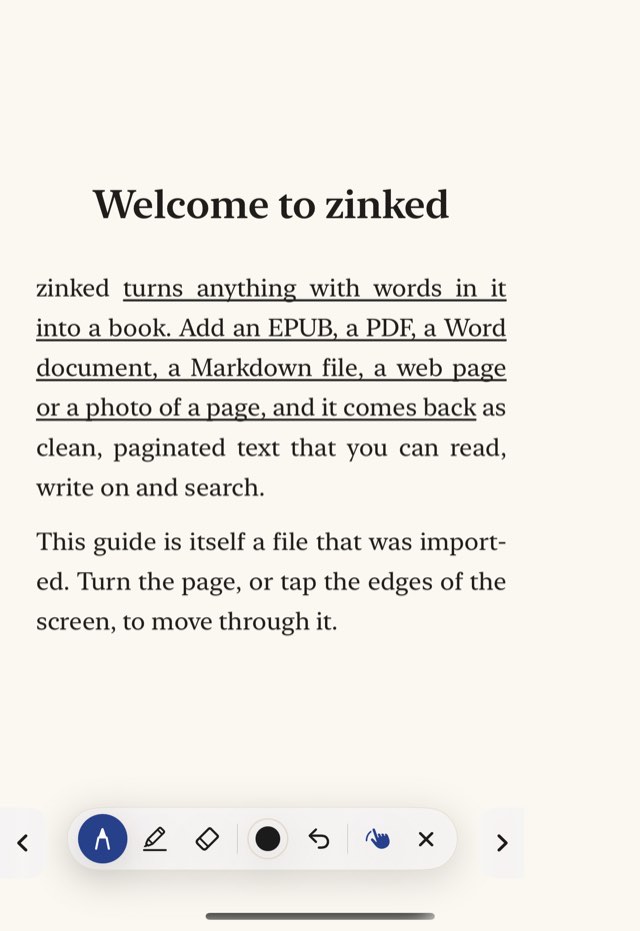 The pen underlinesA line dragged from one line of text to a later one underlines the passage between.
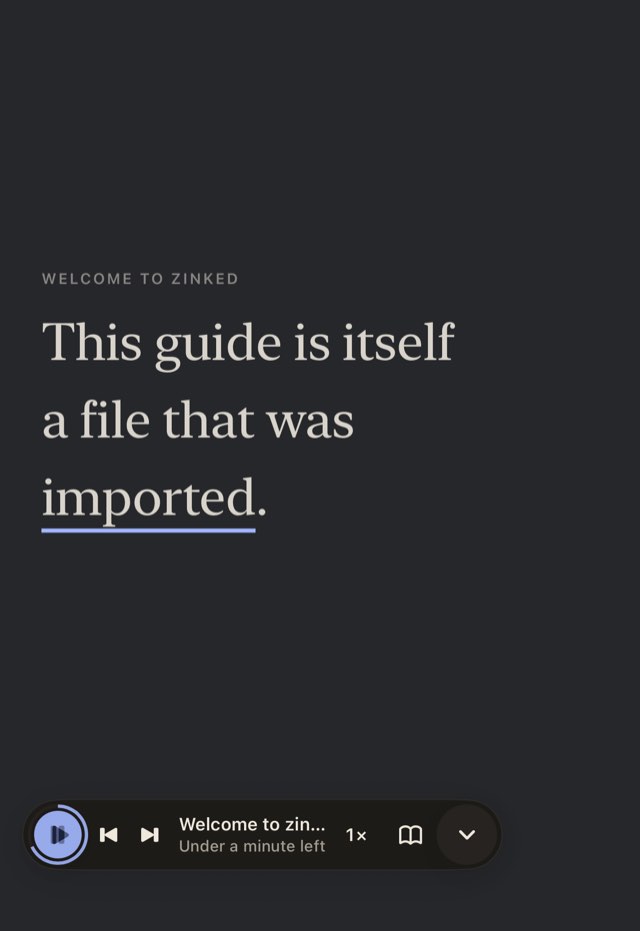 Focus viewWhile listening: only the sentence being said, large.
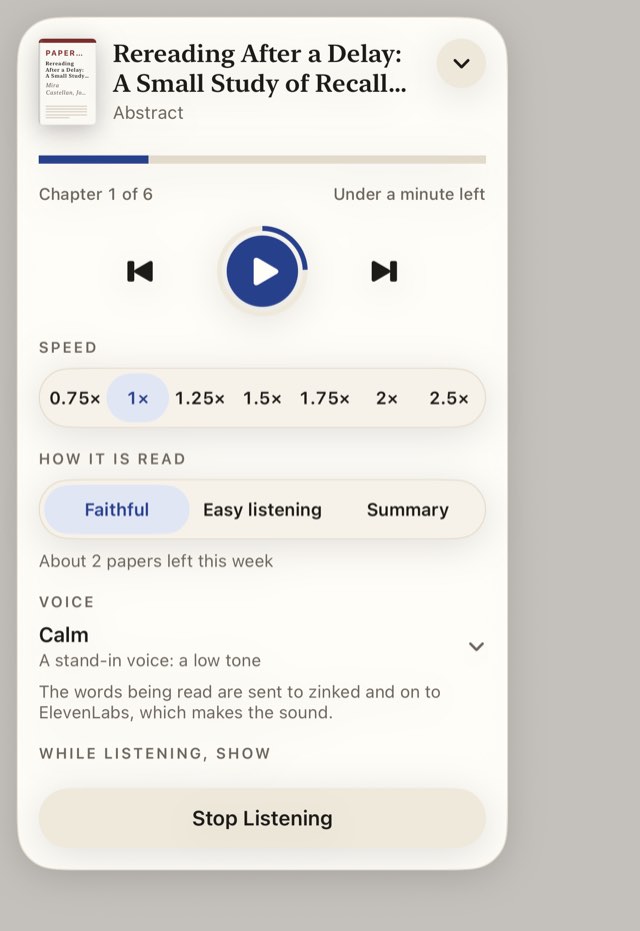 The playerSpeed, how it is read, and the voice.
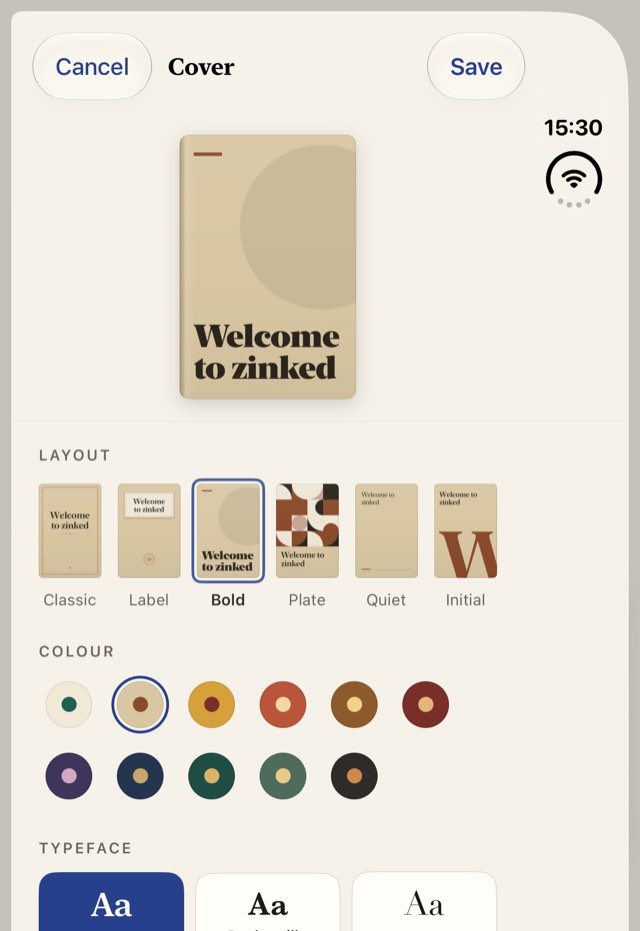 A cover of your ownLayouts, colours and typefaces to choose from.
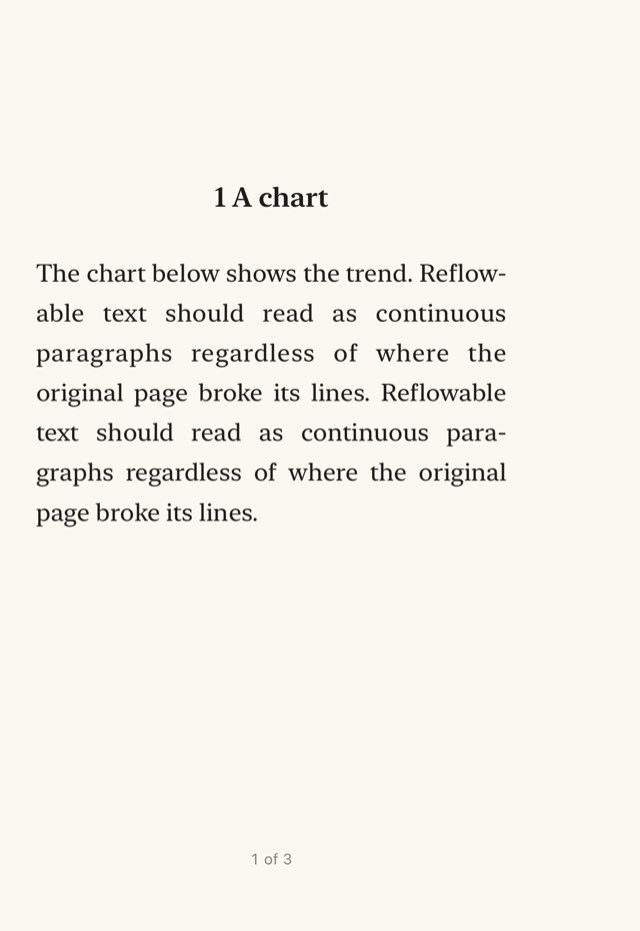
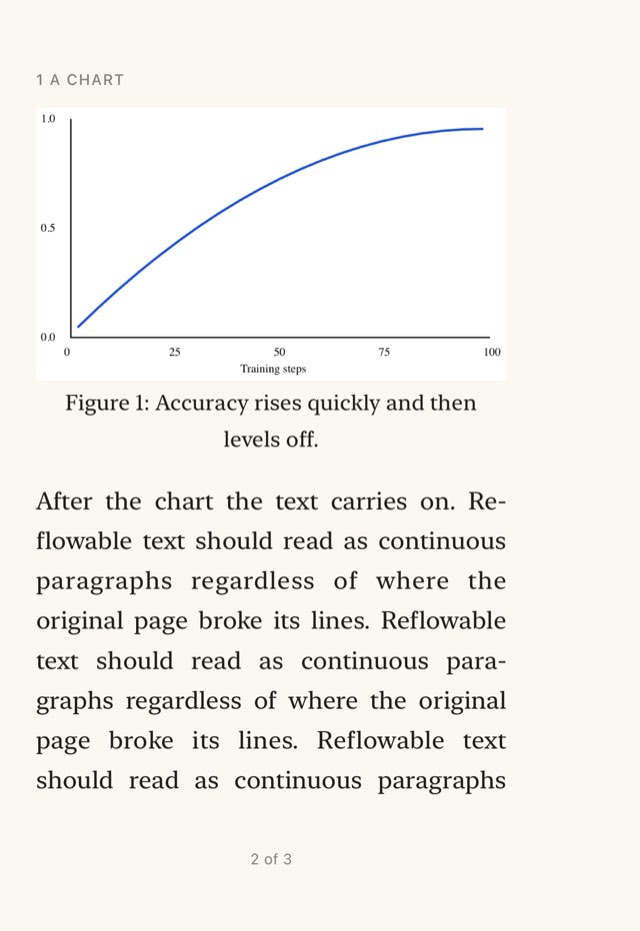 Open, it is two pagesOn the folding iPhone’s inner screen a book is two pages side by side, the gutter on the hinge. These are two pages of one paper, set side by side here.
Something to read
A page about a reading app ought to have something to read. Here are two works that open in this same reader, and a way to open a file of your own in it. The file is read in your browser; nothing is uploaded.
- Pride and PrejudiceJane Austen, 1813The first chapter. Public domain.Open
- Rereading After a DelayA sample research paperInvented to test listening: an equation, two tables and a figure, with an orientation and an easy listening edition. Its study and its numbers are made up.Open
- A file of your ownRead in your browserAn EPUB, a Markdown file, a text file or a saved web page. Nothing is uploaded, and it is forgotten when you close the tab.Open
Plain answers
- What does it run on?
- iPhone and iPad.
- Can I have it now?
- Not yet. It is coming to the App Store.
- What is free?
- Reading, highlights, notes and notebooks. So is listening, up to a weekly allowance.
- What does zinked plus add?
- Listening with no weekly limit: zinked’s voice, and editions for papers, articles and any book you ask for. It is $7.99 a month or $59.99 a year.
- What stays on my device?
- Your library: the files you add, the pages made from them, your marks, your handwriting and your notebooks. It is a folder you can see in the Files app. There is no sync between devices yet.
- What is sent, and where?
- Four things, each for a reason.
- Books and papers are looked up in Open Library, Crossref and arXiv, to find their proper title and cover. That can be turned off in Settings. Word files, text files and other things that look like your own are not looked up unless you ask.
- To show what other readers think, zinked’s service is asked about the books and papers in your library, by what identifies the work: its ISBN, DOI or arXiv number, or its title and author. If you pick a username, your ratings and what you are reading go there too, so that other readers can see them; that can be turned off in Settings. Anything filed as a Document is never sent.
- For a listening edition, the text goes to zinked’s service, where Claude writes it. That happens by itself for papers and articles, unless you turn it off in Settings. A book, or a document of your own, is sent only when you ask, and the app says so first.
- To read aloud, the passage being read and the two after it are sent to zinked’s service and on to ElevenLabs, which makes the voice. A paper or an article is read without asking. For a book, or a document of your own, the app asks once first; say no, and it is not read and nothing is sent. The sound is kept on your device, and nothing is kept on the service.
- And this page?
- It sends nothing and asks for nothing. Its voice was recorded once, ahead of time. Your marks here stay in this browser, and so does a file you open here.
- Which files does it read?
- EPUB, PDF, Word, OpenDocument, PowerPoint, Markdown, HTML and web pages, RTF, plain text, Jupyter notebooks, CSV, source code and images. Not Kindle files, and nothing protected by DRM. The table is in chapter 1.
- Can I get my books and notes out again?
- Yes. Any book as Markdown, plain text, HTML or EPUB, and your notes as Markdown, JSON or CSV.
zinked plus
zinked is coming to the App Store, for iPhone and iPad. Reading, marks and notebooks are free. So is listening, up to a weekly allowance.
zinked plus takes away the weekly limit on listening: zinked’s voice, and editions for the papers and articles you add and any book you ask for.
$7.99 a month
$59.99 a year
Coming to the App Store
That is the whole book. Start again, or take something from the shelf.